Abiotic Factor: Beginner's Guide and Best Settings
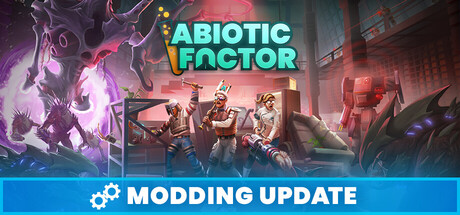
How to start well in Abiotic Factor: picking a PhD, scavenging and crafting, setting up a base you can move, tuning PC settings and using trainer options without spoiling the game.
What You Are Getting Into
Abiotic Factor is a survival crafting game with a 90s sci-fi look, set in a huge underground research complex run by an organisation called GATE. A containment breach has gone badly wrong. Anomalous entities have escaped, invaders are coming through portals, a military sect called The Order is hunting staff, and the facility's own robotic security is hostile too. Your character is a scientist, not a soldier, so planning, scavenging and smart crafting matter more than firepower. You can play alone or in co-op with up to six people.
Over the long run you turn the facility into a home, building a base and later packing it up to move elsewhere in the complex as you explore. Spend your first hours getting stable rather than pushing ahead. Secure food and water, a few reliable tools and a safe room before you head into unknown areas. Difficulty is adjustable and you can save at any time, so turning the difficulty down or saving before a risky trip is a reasonable choice, not a cheat.
- Save before entering any area you have not explored yet.
- Treat early exploration as supply runs, not a race to the exit.
- Check the difficulty options before committing to a long save.
- Carry a small stock of food and water at all times.
Choosing Your PhD
Your PhD sets your scientist's starting specialty. Phytogenetic Botanist, Defense Analyst and Archotechnic Consultant are a few of many, and each comes with its own advantages. You combine it with traits and skills, then level up to unlock perks and abilities. The store page does not list exact bonuses, so read the in-game descriptions rather than choosing on the title alone.
Solo players have to cover every role themselves, so a first run goes more smoothly with a PhD that helps in fights or keeps you supplied. Judging by the names, Defense Analyst probably leans toward combat and Phytogenetic Botanist toward plants, but check the creation screen to be sure. In co-op, talk to your group first and spread the specialties out instead of doubling up. A mixed team can deal with more of the facility's problems at the same time.
- Read every trait and skill description before confirming your scientist.
- Solo players should favour survivability over niche specialties.
- In co-op, agree on roles before anyone creates a character.
- Decide which perks you want so your level-ups have a direction.
Scavenging, Crafting and Your First Base
Everything you need comes from the facility: abandoned offices, empty labs, vending machines and any company property you care to take. Crafting recipes eat common materials in bulk, so thorough looting early pays off later. Clear each room completely before moving on, then haul your finds back to a central storage point instead of carrying them around. Going back to rooms you half-searched wastes time.
Crafting is where your strength comes from. Early gear is basic, like nets and wooden bats, and it grows into laser cannons and elaborate traps. Build what fixes your current problem first, usually a way to defend yourself or to keep yourself fed. Start the base small and easy to defend, near resources you use often. It does not have to be permanent: when you outgrow a spot, you can move your belongings with handcarts, forklifts, SUVs, teleporters and more.
- Loot every drawer and machine in a room before leaving it.
- Build storage early and empty your pockets into it after each trip.
- Craft defensive tools before comfort items.
- Do not over-invest in your first base; you will likely move it.
Staying Alive Against Hostile Threats
Threats in the facility come in several kinds: creatures looking for their next meal, trigger-happy soldiers from The Order, and advanced robotic security. The Order goes after staff and entities alike, so you may find hostile groups fighting each other. When that happens, letting them wear each other down before you get involved can save health and supplies. Watch how an enemy behaves before you commit.
Combat is not a scientist's strength, so let your crafting do the work. Nets and traps let you set the terms of an encounter, and falling back to a prepared position usually beats fighting in the open. Take healing and spare supplies on every trip. Because you can save at any time, a bad run need not cost much progress if you save once you reach a safe spot and again before entering a new zone.
- Watch enemy patrols before engaging.
- Set traps at chokepoints near your base.
- Retreat early instead of trading health for loot.
- Save after every successful supply run.
Co-op, Hosting and Mods
Up to six players can join through online co-op, LAN co-op or cross-platform multiplayer. According to the developers, the host needs slightly more CPU power, especially with several players connected. If one person in your group has a clearly stronger processor, they should host. A host whose machine is struggling can drag down the session for everyone, so choose by hardware, not by who launched the game first.
Community Update #5 brought official mod support, with an Official Mod Editor and a mod browser built into the game. A string of version 1.5.0 hotfixes followed, fixing mod problems such as one with adding mods to an existing save, plus UI and other issues. The developers' advice for a Fatal Error crash is to uninstall unofficial mods. Use the official browser where you can, and back up your saves before changing anything in a running world.
- Let the player with the strongest CPU host larger sessions.
- Back up your save before enabling mods on it.
- Remove unofficial mods first if you get a Fatal Error crash.
- Agree on a mod list with your group before starting a session.
PC Settings and Performance
The retro art style hides a modern engine. Abiotic Factor runs on Unreal Engine 5, and the developers joke that it probably won't run on your PC from 1997. Minimum spec is 64-bit Windows 10 with an Intel i5 9th-generation class CPU, 8 GB of RAM, a GeForce GTX 1660 or Radeon RX 5600 XT, DirectX 11 and 10 GB of storage. Expect to compromise at that level, particularly in busy areas or when hosting.
On weaker machines, start with shadows, lighting quality and effects, which tend to be the heaviest settings in Unreal Engine 5 games. View distance comes next. If the game offers a render resolution slider or an upscaler, use that rather than lowering your monitor resolution. With only 8 GB of RAM, keep textures moderate. The minimum spec lists DirectX 11 and the recommended spec DirectX 12, so on older hardware it is worth testing both if the game lets you choose.
Recommended spec is an i5 11th-generation class CPU, 16 GB of RAM, a GeForce RTX 3070 or Radeon RX 6700 XT, and DirectX 12. That should handle higher settings at common resolutions. Hosts still face the extra CPU load mentioned above, so leave some headroom. An SSD install is good general practice and may cut loading times.
- Lower shadows and lighting before textures.
- Use resolution scaling instead of a lower monitor resolution.
- Close background apps if you only have 8 GB of RAM.
- Hosts should prioritise CPU headroom over graphics quality.
How the Trainer Fits Abiotic Factor
Keep the trainer to single-player or offline play. Abiotic Factor is built around co-op, and changing values in a shared session is unfair to everyone else and could cause trouble for the host. Several options line up with the survival systems: Infinite Health and Infinite Stamina take the sting out of exploring, and No Hunger and Thirst lets you learn the map without watching your supplies. For hard fights there are Infinite Ammo, No Reload, Infinite Durability and One-Hit Kills.
Base builders can skip the gathering and waiting with Unlimited Items and Instant Crafting. XP Multiplier gets you to your perks and abilities faster. Super Speed and Game Speed shorten long walks across the facility, and Save and Load Position lets you mark a safe spot before heading somewhere dangerous. Unlimited resources can flatten the progression that makes the game rewarding, so switch options on one at a time.
Back up your save files before enabling anything, and again before long sessions. The game gets regular patches and hotfixes, and a trainer may need an update after each one. If the game crashes, turn off mods and the trainer to find the cause, starting with unofficial mods as the developers recommend.
- Use trainer options only in solo or offline sessions.
- Back up saves before enabling any option.
- Turn on a few options at a time rather than all at once.
- Check for trainer updates after each game patch.
FAQ
Can I play Abiotic Factor solo?
Yes. Single-player is supported alongside co-op, and adjustable difficulty plus saving at any time make solo runs easier to manage.
How many players can join a co-op session?
Up to six, through online co-op, LAN co-op or cross-platform multiplayer. The host needs a slightly stronger CPU, especially with several players connected.
Will Abiotic Factor run on my older PC?
Minimum spec is an i5 9th-generation class CPU, 8 GB of RAM and a GTX 1660 or RX 5600 XT on 64-bit Windows 10. The game uses Unreal Engine 5, so very old hardware is unlikely to cope despite the retro look.
I get a Fatal Error crash after updating. What should I do?
The developers advise uninstalling unofficial mods if you see a Fatal Error crash. Official mods are available through the in-game mod browser added in Community Update #5.
Can I use the trainer in multiplayer?
Keep it to single-player or offline sessions. In co-op it changes the game for other players too, and you should back up your saves before using it either way.
Comments
No comments yet
Be the first to share your thoughts.