Slotbound: Beginner's Guide, Strategy Tips and Best Settings
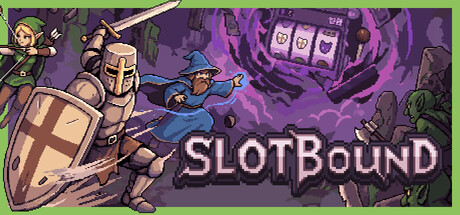
How Slotbound runs work, how to turn slot spins into a strong army, how to handle boss and Judgment Waves, which PC settings matter, and how trainer options fit offline play.
How a Slotbound Run Works
Slotbound is a roguelite defense game that builds your army from a 3x3 slot machine rather than a build menu. Matching lines on the grid summon units, and those units fight incoming waves on their own, autobattler style. Between spins and fights you shape the team by merging, promoting and equipping it. Runs progress through stages, and you earn upgrade currency to spend on permanent upgrades before the next attempt.
Luck decides what you are offered, not whether you win. A poor spin means changing the plan, and the game rewards players who build around what the machine actually gives them. It also keeps asking whether to play safe or gamble for a bigger payout. Lean toward safety in your first runs: reaching later stages teaches you far more than betting a run on one jackpot.
- Use your first few runs to learn unit types and wave patterns.
- Press C or the gamepad View button to open the Collection and check units mid-run.
- Spend upgrade currency after every run, even when the amount is small.
Spinning and Summoning Units
Matching lines on the 3x3 grid produce units. Occasionally a spin hits a jackpot, which can summon a legendary Prism unit. Since you cannot plan for that, build a team that holds with ordinary pulls and count a Prism as a bonus.
Every summoned unit also rolls from dozens of random stats, so two copies of the same unit can perform very differently. Look at what a unit rolled before you sacrifice it to another. A modest unit with a stat that suits your build is often worth more than a stronger one that pulls the team in another direction. The check takes seconds and can save a run.
- Read the random stats on every new unit before deciding what to do with it.
- Avoid pouring every resource into spins if the next wave needs a stable board.
- Get units on the field for the coming wave before chasing a jackpot.
Merging, Promotions and Synergies
No unit is useless here. Weaker ones can be absorbed into stronger ones, which is how a 1-star Warrior grows into something tougher. Concentrating that growth in a few carries usually works better than spreading it across many average units, so pick one or two early that match your rolled stats and feed them steadily.
Class Promotion offers branching choices that change a unit's role, and a recent patch lets you open the Collection while you choose, which makes comparing branches easier. Units also carry Imprints, and you can add Items and Cores on top. Cores drive the biggest synergies, and that is where planning pays off. Once you find a Core that suits your carries, build toward it rather than grabbing whatever looks strongest on its own.
- Choose one main carry early and feed it weaker duplicates.
- Weigh promotion options against your Core before committing.
- Open the Collection during promotion choices to see where each branch leads.
- Don't load Items onto a unit you plan to sacrifice.
Waves, Bosses and Progression
Runs mix regular waves with boss waves and Judgment Waves. Launch-week hotfixes eased the overall difficulty, weakened the first boss in each stage, made Stages 1 and 2 easier and raised the upgrade currency those stages pay out. The early stages are now a good place to learn and to build up currency, so there is little reason to rush through them. If you keep wiping early, permanent upgrades should help close the gap.
Upgrade currency goes into the Upgrade screen between runs. Alongside the Units section there are five faction nodes, so invest in the faction you build most often. Adjustable difficulty is available, and lowering it is a fair way to learn later stages. Fast Forward speeds up battles, and the game now remembers your chosen speed across runs and launches.
- Count on Stages 1 and 2 as a steady source of upgrade currency.
- Use Fast Forward on waves you already know you can win.
- Drop the difficulty while learning later stages, then raise it again.
PC Settings and Performance
The requirements are modest. Minimum is Windows 10 64-bit, an Intel Core i3-6100 or Ryzen 3 1200, 4 GB of RAM, a GTX 750 Ti or Radeon HD 7850 and DirectX 11. Recommended steps up to an Intel Core i5-8400 or Ryzen 5 2600, 8 GB of RAM, a GTX 1060 or RX 580 and DirectX 12. The install needs 2 GB either way.
Steam does not list the in-game graphics options, so check the menu yourself. On a minimum-spec machine, lower resolution and any quality or effects settings first. Crowded late waves at high Fast Forward speed are the likeliest place for slowdown, so watch performance there. With only 4 GB of RAM, close background apps. Recommended hardware should give you more room to raise settings.
- On a weak PC, lower resolution before anything else.
- Close browsers and launchers when playing on 4 GB of RAM.
- If late waves stutter, try a slower Fast Forward speed.
- The internet connection is only needed for online leaderboards.
Using the Trainer Options
The trainer options map onto the game's main systems. Invincible Units, Weak Enemies, One-Hit Kills and Damage Multiplier affect combat. Free Spins and Lucky Spins act on the slot machine. Unlimited Gold and Free Shop Items cover in-run spending, while Unlimited Upgrade Currency affects permanent progression. Game Speed changes pacing beyond Fast Forward. Keep them to single-player and away from the online leaderboards; playing offline while the trainer runs is the simplest way to do that.
Lucky Spins and Free Spins are handy for testing things you rarely see, such as Prism units or specific Core combinations. Unlimited Upgrade Currency writes to your permanent progress, so back up your save first. Slotbound received several patches in its first week, and any update can break a trainer until it is updated too. Enable options one at a time so you can tell which one caused a problem.
- Back up your save files before changing upgrade currency.
- Play offline with the trainer and keep it away from leaderboard runs.
- After a game update, turn options on one at a time.
- Use Lucky Spins to study rare synergies, then try them in normal play.
FAQ
Does Slotbound need an internet connection?
The requirements list broadband, but the notes say it is only for the online leaderboards. The game is single-player.
Can I play Slotbound with a controller?
Yes. It has full controller support, including DualShock and DualSense, and the gamepad View button opens the Collection during a run.
Is Slotbound too hard at the start?
Launch-week hotfixes eased overall difficulty, made Stages 1 and 2 easier and weakened the first boss in each stage. Adjustable difficulty is also available if you need more room to learn.
Can I save in the middle of a run?
The Steam page lists Save Anytime, and the game needs no timed inputs, so you can pause to think or step away when you need to.
Yorumlar
Henüz yorum yok
Düşüncelerini ilk paylaşan sen ol.