Sea Power: Yeni Başlayanlar Rehberi ve En İyi Ayarlar
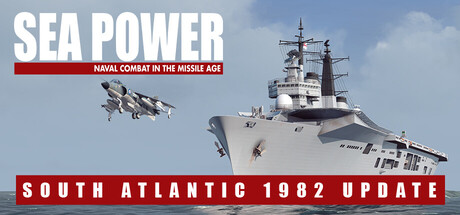
Sea Power'a nasıl başlanır: önce hangi modu oynamalısın, sensörler ve EMCON, silahlar ve angajman kuralları, iki donanım seviyesi için PC ayarları ve çevrimdışı hile kullanımı.
Where to Start
Sea Power is a pausable real-time naval simulation covering the Cold War from the 1960s to the 1980s. You can command NATO and Warsaw Pact forces, and update 0.9.0 added the Royal Navy and Argentina. Single scenarios are the gentlest way in. Each one stands alone, there are scenarios for every faction, and you can learn one ship type or one threat at a time before committing to a campaign.
Once the basics make sense, the bigger modes open up. The linear campaign is not dynamic, but it has branching options and story events. Pacific Strike '85 arrived in 0.8.0 and picked up more variation and continuity in 0.8.3, while 0.9.0 brought two campaigns set in the 1982 South Atlantic conflict. Task Force Mode also launched in 0.8.0, and version 0.8.2 gave it Deployment Zones and an Unrestricted Mode. The store page lists a theater-scale dynamic campaign as a planned beta, so check whether your build includes it.
Sea Power is still in Early Access and patches arrive regularly. Skim the latest notes before starting a long campaign, since an update can change how a feature works.
- Start with a small surface scenario before moving on to carrier or submarine-heavy missions.
- Pause freely; stopping the clock to issue orders is how the game is meant to be played.
- Run time compression through quiet transits and drop back to normal speed as soon as contacts appear.
- Save before each major engagement, since saving works anywhere.
Sensors, EMCON and Detection
Most engagements turn on who gets detected first. Radar, sonar, electronic countermeasures and visual identification are all modeled, and the game rewards hiding your own forces while finding and tracking the enemy's. An active radar shows you a lot, but in naval simulations of this period it also tells anyone listening where you are. Going silent keeps you hidden at the cost of seeing less.
You manage that trade-off in the EMCON menu. Patch 0.8.1 added a Sensor Tool there, and it is worth opening in your first few missions to get a feel for your units' sensors. A sound habit is to keep most emitters dark on the approach, let a single picket ship or aircraft do the searching, and switch on fire-control sensors only when you are ready to shoot.
Time of day and weather vary by scenario. A visual identification that is easy in one mission can be close to impossible in the next, so factor that in before sending a ship in close.
- Open the EMCON menu at the start of every mission and decide which units radiate.
- Check the Sensor Tool before committing to an approach.
- Spread your ships out so a single detection does not give away the whole force.
- Note the time of day and weather before planning a close visual check.
Weapons and Rules of Engagement
The arsenal runs to more than 150 weapon systems, from guns for close-range duels with fast craft such as Boghammars to long-range missiles and torpedoes. In naval games of this kind, missiles tend to run out faster than you expect. Fire in measured salvos, check the result, and keep a reserve for the threat you have not found yet.
Range is only half the decision. You also have to follow rules of engagement, and firing on the wrong contact can cause an incident that escalates the conflict. In the Persian Gulf setting, for example, both sides are attacking neutral merchant shipping, and a radar contact at 30,000 feet is not necessarily hostile. Where the scenario allows it, send an aircraft or escort to identify the target visually before you launch.
Countermeasures and defensive weapons deserve the same care. Against an air attack, placing escorts between the threat axis and your most valuable ship often does more than any single system.
- Identify before you fire, especially when neutral traffic is around.
- Hold back part of your missile load for a second wave.
- Keep escorts between incoming threats and your high-value units.
- Check what each ship actually carries before assigning targets.
Aircraft, Carriers and Submarine Hunting
More than 100 aircraft are in the game, and many missions depend on them. Carrier flight operations are simulated in detail, and the store page notes that the simulation level is configurable. If deck management feels like too much at first, turn the detail down and raise it again once you are comfortable.
Submarines are the hardest threat to pin down, since staying hidden is their whole purpose. Both aircraft and surface ships can hunt them, and the standard approach is layered: patrol aircraft or helicopters search well ahead while sonar-equipped ships cover the inner zone. Fuel limits how long aircraft can stay on station, so schedule relief before one has to turn for home.
In the NATO escort scenarios, Soviet bombers armed with long-range missiles are a major danger. Meeting them before they reach launch range usually works better than trying to shoot down every missile they release.
- Lower carrier simulation detail while you are learning.
- Keep at least one anti-submarine aircraft airborne when submarines are expected.
- Push fighters out to meet bombers before they can launch.
- Watch aircraft fuel and line up replacements early.
PC Settings and Performance
The minimum specification is a Ryzen 5 2600X or Core i5-8600K, 16 GB of RAM and a 4 GB graphics card such as an RX 480 or GTX 1650, on 64-bit Windows 10 with DirectX 11. The recommended tier doubles memory to 32 GB and asks for a Ryzen 5 5600X or Core i5-12600 with an 8 GB card such as an RX 6700 or RTX 3060. Both need 25 GB of storage, and an SSD may shorten loading times.
On a minimum-spec machine, memory is the main concern. Big battles with many ships, aircraft and terrain can push 16 GB hard, so close browsers and other programs before loading in. As with most 3D simulations, the settings worth lowering first are typically shadows, water and effects quality and draw distance, with resolution after that. On a 4 GB card, keep textures modest so you do not run out of video memory.
Recommended hardware should cope with higher detail and larger engagements. Busy scenarios at high time compression can still slow down, so expect some drops in the biggest fights on any system.
- Close background programs on 16 GB systems before large missions.
- Lower shadows and effects before resolution on weaker graphics cards.
- Keep textures moderate on 4 GB cards.
- Use lower time compression when many units are active.
- Install the game on an SSD if you can.
Mission Editor, Workshop and Mods
The full mission editor uses a global map with dynamically generated real-world terrain, so you can set a scenario in any region on Earth. It also works as a training ground. Build a small setup with one ship type against one threat and replay it until you understand how its sensors and weapons behave.
Modding is fully supported, including third-party assets, and the Steam Workshop had more than 4,000 submissions by January 2026, enough to keep you busy long after the official content runs out. Mods can break when the game updates, though. If something misbehaves after a patch, disable your mods before blaming the base game.
- Use the editor to build simple training drills.
- Disable mods after a major update if problems appear.
- Subscribe to a few Workshop scenarios at a time rather than dozens at once.
Using the Trainer in Sea Power
Sea Power is single-player only, so trainer options affect nobody's game but yours; keep them to offline, single-player sessions. A few are genuinely useful for learning. Reveal All Contacts shows how enemy forces are deployed while you are still getting to grips with detection. Game Speed works alongside the built-in time compression, and Unlimited Aircraft Fuel keeps patrol aircraft on station during anti-submarine practice with no relief schedule to manage.
The combat options, including God Mode Ships, Unlimited Missiles, Infinite Gun Ammo, Unlimited Torpedoes, Instant Reload, Infinite Countermeasures and Instant Damage Repair, suit tactical experiments or getting past a scenario that has you stuck. One-Hit Kills and Super Ship Speed strip out most of the challenge, so treat them as sandbox tools. Back up your saves before enabling anything, and remember that Steam Cloud may sync altered saves. Early Access patches arrive often and can stop a trainer working until it is updated.
- Copy your save files to a separate folder before using any option.
- Use Reveal All Contacts to learn, then switch it off and practice for real.
- Enable one option at a time so conflicts are easy to spot.
- Expect trainer updates to lag behind new game patches.
FAQ
Does Sea Power have multiplayer?
No. Steam lists it as single-player only. Content comes from scenarios, campaigns, Task Force Mode and the mission editor.
Can I save in the middle of a mission?
Yes, you can save and load anytime and anywhere. Patch 0.8.1 also fixed mid-mission saves in the Pacific Strike campaign.
Which factions can I play?
NATO and Warsaw Pact forces, plus the Royal Navy and Argentina, which arrived in update 0.9.0 alongside two 1982 South Atlantic campaigns.
Is 16 GB of RAM enough?
It meets the minimum requirement, but 32 GB is recommended. On 16 GB, close other programs and expect slowdowns in large battles.
Is there a dynamic campaign?
The store page lists a theater-scale dynamic campaign as a planned beta. Check the latest patch notes to see whether it is in your current build.
Trainer and game page
Sea Power : Naval Combat in the Missile Age Trainer · Sea Power : Naval Combat in the Missile Age
Yorumlar
Henüz yorum yok
Düşüncelerini ilk paylaşan sen ol.