Raft: Yeni Başlayanlar İçin Hayatta Kalma Rehberi ve En İyi PC Ayarları
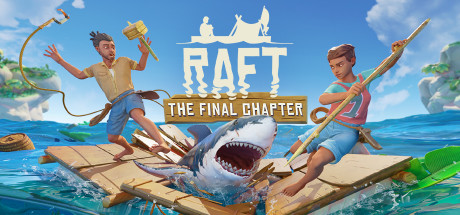
Raft'taki ilk günlerini nasıl atlatacağın: enkazı kancayla toplama, açlık ve susuzluğu kontrol altında tutma, köpekbalığıyla başa çıkma, adalara yelken açma, co-op ve cross-play ile PC ayarları.
Your First Minutes on the Raft
You wake up on a small patch of floating wreckage with a hook made from old plastic, and that hook is your most important tool for the first hours. Everything you build early on comes from debris drifting past, so the faster you reel it in, the sooner the rest of the game opens up. Apart from staying alive, gathering matters more than anything else at the start. Expect to spend most of your time at the edge of the raft, throwing and pulling.
Position yourself where you can see debris coming early enough to throw. Take the nearby pieces first instead of chasing one distant crate while several closer items drift past. Once the routine sets in, materials start to stack up, and the harder question becomes what to build with them. For now, keep hooking.
- Spend your first session mostly hooking debris; it fuels everything else.
- Watch where debris is coming from and stand where you can reach it in time.
- Grab nearby items before distant ones you might miss anyway.
- Expand the raft early so you have room to work and more edge to hook from.
Hunger, Thirst and the Shark
Hunger and thirst drain the whole time you hook, build and sail, so sort out drinkable water and food before you settle into a building project. Survival equipment is the first thing to craft for this. Later you can grow crops, tend animals and cook recipes, smoothies included, to stretch what you eat further.
Then there is the man-eating shark. It threatens you whenever you are in the water, and it is one of the ocean dangers you will have to defend the raft against. In the early game, only swim when you need to: go in for something specific, grab it and climb back on. A crafted weapon lets you fight back, and keeping an eye on the water gives you time to react.
- Set up a steady water and food supply before any large building project.
- Check both meters during long hooking sessions; they are easy to forget.
- Only swim when you have a clear reason and a way back.
- Craft a weapon early so you can defend yourself and the raft from the shark.
Building, Crafting and Research
Progress in Raft runs along three lines that feed each other: making the raft bigger, crafting equipment, and learning new recipes at the research table. Put the table down as soon as you can afford it and come back to it whenever you pick up something new. Each new recipe lets you gather faster and sail further.
Layout matters more than raw size when you expand. Put cooking, water and storage next to each other so daily upkeep takes fewer steps, and leave room for crop plots and animals. A sensible plan now saves you tearing things up later, when the raft starts growing from a wreck toward a floating mansion. Decoration can wait until your survival needs mostly look after themselves.
- Build the research table early and revisit it whenever you collect a new material.
- Group food, water and storage in one area to cut down on walking.
- Reserve space for crop plots and animals before the raft gets crowded.
- Craft better tools once research unlocks them, since better gear speeds up every task.
Sailing, Diving and Islands
With the basics covered, navigation becomes the focus. You can steer the raft toward new destinations, the last pieces of civilization still above water, and that is where the story sits. Each location has its own challenges and clues about the people who lived there, and you usually leave with items that help you reach the next one, so story and gear progress move together.
Diving is your other main source of materials. Drop anchor first, then search the reefs below and the islands above for resources you cannot hook from the surface. Your oxygen runs out and the shark is still around, so keep dives short and purposeful. Turn up at each new destination fed, watered and with free inventory space.
- Always drop anchor before leaving the raft to dive or explore.
- Keep dives short and surface before your oxygen gets low.
- Arrive at new destinations with full hunger and thirst meters.
- Clear inventory space before landing so you can carry what you find.
Co-op, Cross-Play and Recent Updates
Raft works solo or in online co-op, and playing with friends speeds up the early grind considerably: one person hooks, another builds, a third keeps food and water going. Steam Cloud support means your saves can follow you between PCs. Version 1.1, released in March 2026, moved cross-play from the beta branch to the default branch, so PC players can now join friends on Xbox Series X/S and PlayStation 5 without opting in.
A few days later, the 1.1.01 hotfix fixed a save and load problem affecting worlds with names ending in a period. It also switched PlayFab voice chat off by default for new users; you can turn it back on from the social or lobby section of the pause menu. If co-op sessions run into connection or desync trouble, check that everyone is fully updated and on the same branch.
- Split jobs in co-op: one person hooking, one building, one on food and water.
- Make sure everyone in a cross-play group is on the same game version.
- Turn voice chat on from the pause menu's social or lobby section if you need it.
- Avoid ending world names with a period if you are not on the latest patch.
PC Settings and Performance
Raft does not ask much of your PC. The minimum spec is 64-bit Windows 7 or later, an Intel Core i5 at 2.6GHz or similar, 6 GB of RAM, a GeForce GTX 700 series card or equivalent, DirectX 11 and 10 GB of storage. For the recommended spec, step up to a Core i5-6600 at 3.3GHz, 8 GB of RAM and a GTX 1050 series card. Both tiers list a broadband connection, which mainly matters for online co-op and cross-play.
Near the minimum spec, start with the settings that usually cost the most: shadows, view distance, anti-aliasing and any water or reflection options the menu offers. Drop resolution only if that is not enough. A big, detailed raft puts more objects on screen, so frame rates may fall as your build grows. Recommended hardware should leave more room, but test higher settings yourself, especially draw distance for sailing.
- Lower shadows and view distance first on weaker PCs.
- Drop anti-aliasing and reflection-type options next, then resolution.
- Frame rates may dip as your raft gets bigger, so retest settings later.
- Close background apps on 6 GB systems, since RAM is tight at minimum spec.
- Install on an SSD if you have one to speed up loading.
How the Trainer Fits Raft
The trainer options target the parts of Raft that put you under pressure. No Hunger and No Thirst stop the two survival meters, Infinite Health and Passive Sharks make swimming safe, and Infinite Oxygen lets you stay on the reef as long as you like. Unlimited Items, Free Crafting and Unlimited Durability skip the material grind, which suits players who mostly want to build a huge floating home. Super Speed, Super Jump, Save / Load Position and Game Speed help with movement and island sections.
Keep the trainer to single-player and offline play. In co-op or cross-play it can cause desync and ruin the session for everyone else. Back up your save files before switching anything on, and because Steam Cloud may sync your changes, keep a manual copy somewhere else. Turning on a single option, such as No Thirst, lets you keep the parts of survival you still enjoy.
- Back up your saves before enabling any option, separate from Steam Cloud.
- Use the trainer only in single-player worlds, never in co-op or cross-play.
- Try Passive Sharks and Infinite Oxygen if you want relaxed diving.
- Use Save / Load Position before risky jumps or tricky island areas.
- Turn on one option at a time to keep the survival feel you like.
FAQ
Can I play Raft alone?
Yes. Raft supports both single-player and online co-op, so you can play solo or bring friends in.
Can I play Raft on PC with friends on Xbox or PlayStation?
Yes. Since version 1.1 in March 2026, cross-play with Xbox Series X/S and PlayStation 5 is on the default branch, so you no longer need to opt in to the beta.
Why is voice chat not working in Raft?
The 1.1.01 hotfix turned PlayFab voice chat off by default for new users. You can switch it on in the pause menu under the social or lobby section.
What PC do I need to run Raft?
The minimum is a 64-bit Windows 7 or later system with an Intel Core i5 2.6GHz, 6 GB of RAM and a GTX 700 series card. The recommended spec is a Core i5-6600, 8 GB of RAM and a GTX 1050 series card. Both need 10 GB of storage.
My world will not save or load properly. What should I check?
The 1.1.01 hotfix fixed a save and load issue with worlds whose names end in a period, so update the game and avoid that naming. A manual backup kept alongside Steam Cloud is also worth having.
Yorumlar
Henüz yorum yok
Düşüncelerini ilk paylaşan sen ol.