Arma Reforger: Yeni Başlayanlar Rehberi, Oyun Modları ve En İyi Ayarlar
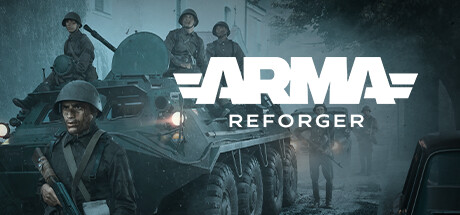
Arma Reforger'da nereden başlamalı: önce hangi modları denemelisin, oyunun senden beklediği beceriler, minimum ve önerilen donanım için PC ayarları ve tek oyunculu oyunda hile seçeneklerinin yeri.
What Arma Reforger Expects From You
Arma Reforger is Bohemia Interactive's Cold War military simulation, and it does not play like an arcade shooter. Bullets follow detailed ballistics, you navigate with a map and compass, and the islands are big enough that getting somewhere is a task in itself. Players who expect quick respawns and constant contact often find the first hours slow and punishing. That is by design. Patience, planning and teamwork matter more here than fast reflexes.
Content comes in single-player scenarios, co-op operations and competitive multiplayer, spread across three large islands. The in-game Workshop adds thousands of community mods with weapons, vehicles, terrains and entirely new modes. Cross-platform multiplayer is supported, so you may end up on servers with console players. A sensible order for newcomers: learn the controls alone, move to co-op with friends or a welcoming server, and save the long Conflict matches for later.
- Expect early deaths from enemies you never spotted; that is normal at the start.
- Learn the controls in single-player before joining a public server.
- Full controller support is listed, though on PC mouse and keyboard still give finer aim.
Where to Start Solo
Single-player is the low-pressure place to learn. Operation Omega has five replayable missions, and the store page also describes a campaign set in 1989 on Kolguyev, the island first seen in Arma: Cold War Assault, among abandoned mining sites and secret military installations. Since missions can be replayed, treat the first attempt as reconnaissance. Scout, make mistakes, then return knowing where the threats sit. You will pick up the game's pace faster that way than from any tutorial text.
Elimination and Air Support are separate, more focused scenarios. Short sessions like these suit drilling one thing at a time, such as shooting at range or working with support. The Rally DLC, released alongside Update 1.9, is a single-player racing mode with three rally cars and six tracks run against the clock. It is a calm way to learn how vehicles handle on the islands' roads before you have to drive under fire.
- Replay the first Operation Omega mission until moving and aiming feel natural.
- Pick Elimination or Air Support when you lack time for a full mission.
- Run the Rally DLC tracks to learn vehicle handling with nobody shooting at you.
Moving Into Multiplayer and Co-op
Conflict is the main multiplayer mode, with matches lasting anywhere from about an hour to several days. Update 1.7 made the FIA partisans a playable third faction in Conflict scenarios. They start outnumbered and outgunned, with minimal gear and no clear objective, so they are a poor first choice. Pick one of the established sides instead, stick with your squad and watch how bases are contested and captured. Patch 1.7.0.49 changed that system, which had previously been built around two factions.
For a first step online, Combat Ops is the easiest option, particularly with friends: it is a co-op mode built around special operations. Capture & Hold runs shorter and faster, which makes it useful for firefight practice without a long commitment. In Game Master, one player builds and adjusts a mission live while others play it, a good fit for groups who want something tailored. In any mode, talk to your team, stay close to them and ask when you are unsure.
- Start online in Combat Ops with friends before trying public Conflict servers.
- Leave the FIA faction until the basics feel comfortable.
- Use Capture & Hold for quick firefight practice on short evenings.
Core Skills: Movement, Navigation and Firefights
Navigation is what separates confident players from lost ones. You work out your position with the map and compass, so learn to read terrain: ridgelines, roads, the shape of towns. Before setting off, choose a landmark, take its bearing and walk toward it. In multiplayer, telling your team exactly where you are and where the enemy is can matter more than your aim.
Positioning and awareness decide most gunfights. Bullets travel and drop, so long-range shots need patience and a stable firing position. Update 1.8 went out under the slogan Stay Low, Stay Hidden, and that is sound advice: move along cover, keep off skylines and open fields, and do not sprint across roads in view of buildings. Vehicles hit hard but are loud and exposed. Patch 1.8.0.13 greatly reduced damage to helicopter rotors, so older advice about fragile rotors may no longer hold.
- Check the map before every move, not only once you feel lost.
- At longer range, fire from cover or a supported position.
- Follow tree lines and low ground instead of crossing open fields.
- Listen closely; you will often hear enemies before you see them.
PC Settings and Performance
Minimum requirements are an Intel Core i5-4460 or AMD FX-4300, 8 GB of RAM and a GeForce GTX 1650 Super or Radeon RX 5300, on 64-bit Windows 10 with DirectX 12. That gets you in, but large terrain and many AI units or players put real load on the processor and memory. On a minimum-spec PC, give up some visual detail for steadier frame rates and close background apps. Storage is listed at 20 GB minimum and 25 GB recommended, and mods add to that.
On weaker hardware, start by lowering view and object distance, then shadows, then foliage and post-processing. Resolution scaling helps if the graphics card is the bottleneck. The recommended spec of an Intel Core i7-6700, 16 GB of RAM and an RTX 2060 or RX 5600 XT gives more room to raise detail and draw distance, which pays off here because spotting enemies far away is a genuine advantage. With 8 GB of RAM, big mod lists and crowded servers are where limits show first.
- If frame rates dip in towns or forests, lower draw distance and shadows first.
- Install the game on an SSD to cut loading times on the large islands.
- Keep modded sessions light on 8 GB systems.
- Keep GPU drivers up to date for DirectX 12.
Mods and the Workshop
The in-game Workshop is a big part of Arma Reforger's appeal. You can browse and install community content without leaving the game, from other time periods and new weapons and vehicles to extra terrains, new mechanics and full game modes. New players should still learn the base game first. Many mods assume you know the standard controls and systems, and some change balance or behaviour in ways that make the basics harder to pick up.
Once you start, add mods a few at a time and test each batch. Conflicts between mods and breakage after big patches are common in heavily modded games, and Reforger gets major updates often. If the game crashes or acts strangely after a patch, disable your mods before blaming the base game. Some servers require specific mods, and long lists mean more download time and disk space.
- Spend some time with the unmodded game before installing anything.
- Add mods in small batches so you can spot the one causing trouble.
- After a major update, disable mods first when troubleshooting.
Using the Trainer in Arma Reforger
Keep trainer options to single-player scenarios such as Operation Omega, Elimination, Air Support and the Rally tracks. Do not use them on multiplayer servers, in co-op with other people, or in Conflict, Capture & Hold or Combat Ops. The system requirements list an internet connection as required, so close the trainer before you launch any online session. Turning Aimbot or Wallhack ESP on other players spoils their match and can get your account restricted. Back up your saves before you start; Steam Cloud is supported, but a manual copy is safer.
Used carefully, the options can speed up learning. Infinite Health, Infinite Ammo, No Reload and Infinite Grenades let you study a mission's layout without constant restarts. With No Recoil and No Spread on, it is easier to see how bullet drop works over distance. Infinite Stamina, Infinite Vehicle Fuel and Teleport to Waypoint shorten long trips across the islands, while Save and Load Position lets you retry a hard approach. Game Speed can trim slow travel. Leave everything off in the Rally DLC, since any option makes your times meaningless.
- Use the trainer only in single-player modes and close it before going online.
- Back up your saves before turning on any option.
- Teleport to Waypoint and Save and Load Position are handy for rehearsing difficult mission sections.
- Switch options off while testing mods so you know which one is causing problems.
FAQ
Can I play Arma Reforger without other people?
Yes. Operation Omega has five replayable single-player missions, Elimination and Air Support add more solo scenarios, and the Rally DLC brings six tracks raced against the clock.
Will Arma Reforger run on my PC?
The minimum is an Intel Core i5-4460 or AMD FX-4300, 8 GB of RAM and a GTX 1650 Super or RX 5300, with DirectX 12 on 64-bit Windows 10. For higher settings, the recommended spec is an i7-6700, 16 GB of RAM and an RTX 2060 or RX 5600 XT.
How long does a Conflict match last?
Anywhere from about an hour to several days. If you want shorter sessions, Capture & Hold is the better fit.
Should I play as the FIA faction as a beginner?
Probably not. FIA became playable in Conflict with Update 1.7, but it starts outnumbered, poorly equipped and without a clear task, which suits experienced players better.
Can I use the trainer in multiplayer or co-op?
No. Use it only in single-player scenarios and close it before joining any server. Cheating online ruins the game for others and can lead to account restrictions.
Yorumlar
Henüz yorum yok
Düşüncelerini ilk paylaşan sen ol.