ACE COMBAT 8: WINGS OF THEVE – 新手指南與 PC 設定
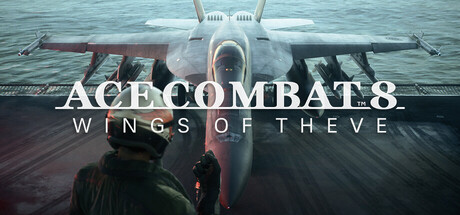
如何上手戰役模式與 ACE COMBAT ONLINE、最低與建議配置的 PC 該調整哪些設定,以及修改器該在哪裡使用:離線、僅限戰役模式。
What You Are Getting Into
ACE COMBAT 8: WINGS OF THEVE is an arcade-style air combat game from PROJECT ACES, the team behind the series. It has two halves. The campaign tells its story partly through first-person cinematic scenes, and between missions you spend time with your squad. ACE COMBAT ONLINE is the other half, with an air base lobby, co-op missions and PvP. They play very differently, so decide early which one you care about more.
Newcomers should start with the campaign. It teaches the controls and the pace of a sortie, and nothing in it waits on matchmaking. Online play makes more sense once picking targets, evading missiles and switching weapons stop needing conscious thought. Series veterans can move between modes as they like, though the first few missions are still a useful way to see how the PC version runs on your hardware before you queue with strangers.
- Play the opening campaign missions first to learn the controls and test performance.
- Leave online play until dogfighting feels natural.
- Check your PC against the requirements before buying; a GPU with hardware ray tracing is mandatory.
Flying and Fighting Basics
The store page calls the gameplay fast and arcade-style, so expect plenty of missiles and little in the way of simulator procedure. As in earlier games in the genre, positioning decides most fights. Get behind a target, stay inside its turn and fire once the lock is solid. Shots at an enemy crossing your nose at full speed usually miss. Patience wins more fights than holding down the trigger.
Defense matters just as much. Flares are part of your kit, and in games like this a hard turn paired with a flare release, timed just before a missile arrives, works better than dumping them early. Special weapons hit hardest, so keep them for priority targets or tight spots instead of spending them on the first enemy in range. When a mission starts to fall apart, slow down, check the radar and take enemies one at a time.
- Turn hard across a missile's path at the last moment instead of flying straight away from it.
- Keep special weapons for priority or high-threat targets.
- Watch the radar constantly; most losses come from enemies you never saw.
- Full controller support covers DualShock and DualSense pads, which suit arcade flight well.
Getting Through the Campaign
Missions alternate with story scenes shown from your pilot's point of view, and the downtime with your squad between sorties is part of that story. Skip it and you lose much of the plot. The store text also mentions the pressure of command and the weight of decisions, but it says nothing about how choices affect outcomes, so read briefings and scenes as if they might matter.
Early missions are where habits form: checking objectives, tracking ammunition, knowing when to break off a turn fight you are losing. If one mission keeps beating you, go back in with a different plan rather than repeating the same run. Update Ver. 1.01.002, scheduled for October 23, lists campaign fixes and adjustments. Before blaming your flying for a bug or an odd difficulty spike, make sure the game is up to date.
- Read the briefing for objectives before takeoff.
- Keep the game updated; Ver. 1.01.002 includes campaign fixes and adjustments.
- If you get stuck, change the order you take targets in instead of repeating the same run.
ACE COMBAT ONLINE: Lobby, Co-op and PvP
ACE COMBAT ONLINE starts in an air base lobby that you explore with a custom avatar before heading into matches. It is the first online lobby the series has had. Modes include co-op missions and PvP, with cross-platform play. Co-op is the easier way in: you get used to flying alongside other people without human opponents hunting you, and they tend to be harder to pin down than AI pilots.
Expect some launch trouble. On October 9 the developer posted a notice on update plans and matchmaking status in online mode, along with an apology for issues affecting the game. Slow queues or matches that fail to start may be a known problem rather than a fault on your side, so check the news on the Steam page and try again later. The game also has in-app purchases; hold off until you know which mode you will actually play.
- Start with co-op before moving to PvP.
- If matchmaking fails, read the developer's news posts before troubleshooting your PC.
- Cross-platform play is supported, so you will meet players on other systems and control setups.
PC Settings and Performance
The hardware bar is high. Every PC needs Windows 11, an SSD, a graphics card with hardware ray tracing and DirectX 12 with Shader Model 6.6 or higher. Minimum spec is a Core i7-10700K or Ryzen 5 3600X, 16 GB of RAM and an RTX 2060 6 GB or RX 6600 XT 8 GB, which the developer expects to reach about 30 fps at upscaled 1080p on Low. The install needs 150 GB, so free up space on your fastest drive first.
At minimum spec, leave upscaling on and treat the Low preset as your starting point. Drop shadows and other heavy effects first. If the menu has separate settings for clouds, volumetrics or ray tracing quality, try those next; the layered cloudscapes are a headline feature and probably expensive. The recommended tier, an i7-12700K or Ryzen 5 5600X with 32 GB of RAM and an RTX 3070 or RX 6800, targets 60 fps at upscaled 1080p on Medium. Both tiers warn of drops in graphics-heavy scenes.
- Install on an SSD; it is required, not optional.
- Keep upscaling on; both official performance targets assume it.
- On 16 GB systems, close browsers and background apps before playing.
- Cap the frame rate at a level your PC holds steadily, such as 30 or 60, for more consistent aiming.
- HDR is available if your monitor supports it.
Using the Trainer in ACE COMBAT 8
Our trainer offers Infinite Aircraft Health, Unlimited Missiles, Unlimited Special Weapons, Infinite Flares, No Weapon Cooldown, One-Hit Kills, Freeze Mission Timer, Unlimited Money, XP Multiplier, Game Speed, Instant Missile Lock and Enemy Radar ESP. Use it only in the single-player campaign while offline, never in ACE COMBAT ONLINE, co-op or PvP. Altering the game in matches with other people ruins them for everyone else and may get your account penalized. Close the trainer completely before you enter the online lobby.
Each option fits a different purpose. Infinite Aircraft Health and Infinite Flares let you study a hard mission without restarting it. Freeze Mission Timer gives you time to look around the map or watch how enemies behave. Game Speed slows a fight down while you practice evasion. Unlimited Money and XP Multiplier only do anything where the campaign uses those systems, so test them with care. Back up your save folder first: Steam Cloud is enabled, so a modified save can sync to your other devices, and pausing cloud sync while you experiment is the safer choice.
- Campaign and offline only; never in online co-op or PvP.
- Back up your saves and consider pausing Steam Cloud sync while testing.
- Turn on one option at a time so you can tell what changed.
- Practice difficult missions with Game Speed or Infinite Aircraft Health, then replay them without the trainer.
FAQ
Can I play ACE COMBAT 8 without a ray tracing graphics card?
No. Both the minimum and recommended requirements list a GPU with hardware ray tracing, DirectX 12 with Shader Model 6.6 or higher, and an SSD as mandatory.
What performance can I expect on recommended specs?
The developer estimates about 60 fps at upscaled 1080p on the Medium preset, with possible drops in graphics-heavy scenes. Minimum specs target about 30 fps on Low.
Does the game support co-op and cross-platform play?
Yes. ACE COMBAT ONLINE includes online co-op missions and PvP, and cross-platform multiplayer is supported.
Why is online matchmaking not working for me?
On October 9 the developer posted a notice about matchmaking status in online mode and upcoming updates. Check the latest news on the Steam page before troubleshooting your own setup.
Can I use the trainer in ACE COMBAT ONLINE?
No. Use it only in the single-player campaign while offline, and close it before joining the online lobby, co-op or PvP.
Trainer and game page
ACE COMBAT 8: WINGS OF THEVE Trainer · ACE COMBAT 8: WINGS OF THEVE
留言
尚無留言
成為第一個分享想法的人吧。