Pentiment: Beginner's Guide, Choices and Best Settings
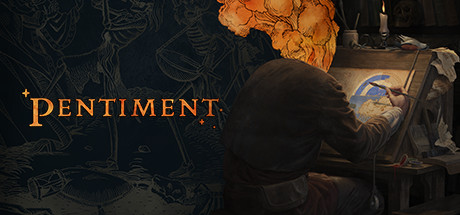
How Pentiment's investigation and choices work, how to pick Andreas Maler's background, which PC settings matter on older hardware, and where trainer options fit in a slow, story-first game.
What Kind of Game Pentiment Is
Pentiment is Obsidian Entertainment's narrative adventure set in early 16th century Bavaria. You play Andreas Maler, an illustrator caught up in a series of murders in the town of Tassing and at Kiersau Abbey. The story runs over twenty-five years, long enough to watch the community change. Most of your time goes on reading people, asking questions and deciding what you believe. There is no combat to speak of.
Steam tags it Adventure and Casual, which is accurate: progress comes from paying attention rather than from reflexes. You run the investigation and decide the community's fate, and those decisions have lasting consequences. If you expect the game to confirm a culprit at the end of each case, set that expectation aside. Obsidian frames the outcome as your call, and the consequences of that call are what the story follows.
The art borrows from illuminated manuscripts and early printed books, and a lot of what you learn arrives through text and illustration. A slow pace suits it. Skimming conversations leaves you with less to go on when a decision comes due.
- Expect a lot of reading and play when you can concentrate.
- Treat the twenty-five years as one story, since early decisions can carry forward.
- Keep a notebook of names, places and claims.
- Expect to settle on a conclusion yourself rather than have one handed to you.
Choosing Andreas's Background
Early on you choose academic and social backgrounds for Andreas. They shape who he is and how he deals with the people of Tassing and the abbey. Nothing suggests you need to optimise these picks, so go with what interests you or suits the Andreas you have in mind.
How far a background changes individual scenes is something you will notice as you play rather than something the game spells out up front. It is also a good reason for a second run. Different backgrounds can put Andreas in front of the same characters with a different footing, and the cast is large enough that a replay can turn up conversations you missed.
- Choose backgrounds for role-play, not for an imagined best result.
- Note which conversations seem to react to your background.
- Hold contrasting picks back for a second playthrough.
Running Your Investigation
The investigation is yours to run. You decide whom to question, which threads to follow and, eventually, whom to accuse. One patch note refers to the accusation interface by name, so there are set moments where you commit to a conclusion. Those choices affect the town and the abbey, and their consequences play out across generations.
Do not count on chasing down every lead before a decision is due. Pick the threads that matter most to you and accept that some questions may stay open. An incomplete picture is not a sign you have failed. The game asks you to decide anyway.
Watch motives, relationships and the religious and political strain of the period. Obsidian describes a conspiracy that draws Andreas in as the story goes on, so a detail that looks minor in the first act may matter much later. Notes on who said what, and when, become very useful once the years start passing.
- Decide which leads matter before spending time on them.
- Revisit people where you can, since their circumstances change.
- Before an accusation, reread your notes and pick the case you can defend.
- Resist reloading to undo every outcome; consequences are the point.
Saves, Load Times and Patch History
A few fixes are worth knowing about. Hotfix 1.2.1716 dealt with a bug where returning to the Main Menu and choosing Continue could corrupt the game state, dropping you at midnight with no quest or progression data. It also added safeguards against loading into an invalid state, and the patch notes asked affected players to check their older saves.
Hotfix 1.2.1715 adjusted load-time expectations for slower hard drives, especially at act transitions, and reworked the background and accusation interfaces to handle text scaling and localisation better. Later patches fixed minor bugs and typos, repaired the High Contrast accessibility option and updated the Unity version to close a security vulnerability. The latest, 1.3.1846, fixed a sign-in problem that stopped Xbox achievements from unlocking on the Steam version.
- Keep the game updated to version 1.3.1846 or later.
- Copy your save files to a separate folder before major story decisions.
- Give act transitions time to load, particularly on a hard drive.
- If a save looks broken, try an older one before starting over.
PC Settings and Performance
The minimum specification is modest: 64-bit Windows 7 SP1, an Intel Core i3-3225, 4 GB of RAM, an Nvidia GTX 650 Ti and 12 GB of free storage. Steam's recommended listing only repeats the 64-bit requirement, with no higher hardware targets. Those figures are low, so a PC comfortably above them should have little trouble.
Storage is where weaker machines are most likely to struggle. The load-time hotfix singles out slower hard drives, so putting the 12 GB install on an SSD is the most useful change you can make. With only 4 GB of RAM, close browsers and other background programs first. If your graphics card sits near the minimum and the options let you change resolution, lower that before anything else.
On a stronger machine, run at native resolution so the manuscript-style art stays sharp. Readability matters more than frame rate here. The patch notes confirm a High Contrast option and text scaling support, so if the default text is hard to read on your screen, adjust those first.
- Install on an SSD to shorten load times, especially between acts.
- Close background apps if you have only 4 GB of RAM.
- Drop the resolution first if your GPU is close to a GTX 650 Ti.
- Turn on text scaling or High Contrast if reading becomes tiring.
- Controllers are fully supported, including DualShock and DualSense pads.
How the Trainer Options Fit Pentiment
Pentiment is single-player, so trainer options affect only your own game. Use them offline with your saves backed up. Since the Steam version signs in for Xbox achievements, keep achievement hunting and trainer use in separate sessions. Most options are about comfort: Super Speed and Game Speed cut down walking time, and Teleport to Waypoint helps once you know where you are headed.
Save Position and Load Position record where Andreas is standing. They are not save files, so they do not replace the game's own saves or guard against the old menu bug. Instant Text Display makes sense on a replay when you already know the dialogue; on a first run, skipping the reading strips out most of the game. Zoom Out Camera shows more of each illustrated scene.
Freeze Time of Day needs the most care. Time of day appears linked to progression, as the old bug that left players stuck at midnight with no quest data suggests. Freezing the clock may give you more room to explore, but it could also disrupt scripted events or act transitions. Use it briefly, switch it off before major scenes and keep a clean save from before you turned it on.
- Back up your save folder before enabling any option.
- Save Instant Text Display for replays, not your first playthrough.
- Turn off Freeze Time of Day before act transitions and accusations.
- Treat Save Position and Load Position as movement shortcuts, not saves.
- Keep trainer sessions apart from achievement runs.
FAQ
How long a period does the story of Pentiment cover?
Twenty-five years, in and around Tassing and Kiersau Abbey. The consequences of your decisions play out across generations of the community.
Will Pentiment run on an older PC?
The minimum is an Intel Core i3-3225, 4 GB of RAM, an Nvidia GTX 650 Ti and 12 GB of storage on 64-bit Windows 7 SP1. Steam lists no higher recommended hardware, so most modern PCs should cope, and an SSD helps with load times.
Do Xbox achievements unlock on the Steam version?
A sign-in issue used to block them. Patch 1.3.1846 fixed it, so make sure the game is up to date.
Can I play Pentiment with a controller?
Yes. It has full controller support, including DualShock and DualSense controllers.
Does the background I choose for Andreas matter?
Your academic and social backgrounds shape how Andreas deals with the people and secrets of Tassing. Pick what interests you and try other combinations on a later playthrough.
댓글
아직 댓글이 없어요
가장 먼저 의견을 남겨 보세요.