How They Built the Pyramids: Beginner's Guide and Best Settings
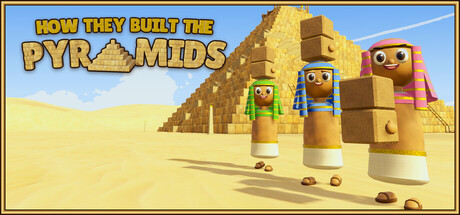
How to start in How They Built the Pyramids: making bricks from Nile clay, getting them to the top, keeping Shabti happy, automating production and running the game on modest PCs.
What You Are Actually Building
The goal fits in one line and takes hours to reach: a single pyramid of 26 layers, 65 metres tall, made of 23,426 blocks. Each of those blocks begins as Nile clay that has to be turned into a brick and moved into place. Steam files the game under Casual, Indie and Simulation, and it plays as online co-op for 1 to 8 players. Single-player is listed too, so you can go it alone, but much of the design assumes a crew sharing the load.
It is closer to a logistics game than a building game. Placing a block takes a moment. Keeping the next thousand blocks coming is where the work lies. You start out doing everything by hand, then add hired help, better bricks, stronger abilities and automated production. Steam lists the game as playable at your own pace, with no timed input and Save Anytime, so short sessions cost you nothing.
- Treat the 23,426-block count as a supply problem, not a building problem.
- Save Anytime is supported, so short sessions are fine.
- Steam Cloud is listed, so your progress can follow you between PCs.
Your First Hours: Clay to Bricks
Turning raw clay into bricks is the first job you learn and the one you will repeat most. Get that loop running cleanly before you worry about the pyramid. Note where the clay is, where the bricks are made and how far both sit from the build site, because every wasted step gets repeated across thousands of trips.
You can raise brick quality and speed up production, though the store page does not list the specific upgrades. The standard rule from production games still works: fix the slowest step first. Bricks piling up unmoved means transport is the problem. Carriers standing around means brick making is. Resist placing blocks while supply is still a trickle; on a build this long, steady output beats a fast start.
- Find your bottleneck before spending on upgrades.
- Shorten walking distance between clay, production and the build site.
- Upgrade brick quality and speed when the game offers it.
- Keep a small stockpile so builders never stand idle.
Getting Bricks to the Top
Making bricks is half the job. The other half is getting them up 65 metres. You can carry them, toss them to teammates or invent your own methods, which includes launching bricks, and your friends, across the structure. Try the stranger ideas while the pyramid is still low and a failed attempt costs little. Things do come crashing down, so keep clear of any busy delivery route.
Hand carrying slows with every layer you add. Tossing in a relay helps here: one player throws to another standing higher, and the bricks climb in stages. Ability upgrades let you carry more per trip, which cuts down on climbs. Plan on changing your method more than once, since a setup that works on layer three is unlikely to keep pace on layer twenty.
- Test tossing and launching on the lower layers first.
- Never stand underneath a toss or launch route.
- Rethink your delivery method every few layers as the climb grows.
- Put ability upgrades into carry capacity early.
Crew, Shabti and Automation
In a group, assign stations instead of letting everyone do a bit of everything. One player makes bricks, another moves them, a third places blocks. Up to 8 players can share a session, and patch 0.42 added text chat on the Enter key, so you can coordinate without voice. Short on hands? Hire Shabti to take the less exciting jobs. The store page warns that they need to be kept happy, so do not leave them unattended for long.
Automation is the long-term aim. You build, connect and automate production so machines handle the heavy lifting while players place blocks and sort out problems. No list of machines is available, so fall back on the usual approach: automate the most repetitive, highest-volume task first, which will usually be brick making. Then link each step to the next so bricks reach the build site without anyone carrying them.
- Give each player one station and one job.
- Use Enter for text chat to call for more bricks.
- Check on your Shabti regularly so they stay happy.
- Automate brick production before anything else.
After the First Pyramid
The game carries on once the pyramid is done. You can keep building, raise monuments and earn blessings, which gives crews who enjoy the production side more to do. The store page does not explain what individual blessings do, so check their in-game descriptions as you earn them.
Patch 0.42 added the Grand Pyramid, a New Game+ option picked from the new pyramid card after you finish a pyramid. It calls for 105,995 bricks on a bigger site and supports crews of up to 16. That is about four and a half times the original block count, so start it only once you know what your production and automation can sustain. What you learned about bottlenecks and delivery routes on the first build applies directly.
- Finish the standard pyramid before trying Grand Pyramid.
- Grand Pyramid needs 105,995 bricks and supports up to 16 players.
- Read blessing descriptions in-game as you earn them.
PC Settings and Performance
The minimum spec is modest: Windows 10 64-bit, an Intel Core i3 at 3.0 GHz or a Ryzen 3xxx, 4 GB of RAM, a GeForce GTX 960, 2 GB of storage and a broadband connection. No recommended spec is listed, so there is no official word on what a comfortable setup looks like. On minimum hardware, expect to turn some settings down, particularly once automation fills the site with moving objects and a large crew joins.
If the options exist, drop shadows and resolution or render scale first, then effects and view distance, as you would in most 3D simulation games. With only 4 GB of RAM, close browsers and other background apps before launching. Busy automation and big lobbies often load the CPU more than the GPU, so processor speed may matter more than the graphics card late in a build. The November 14 update fixed bugs and improved crash handling, so keep the game current. Camera Comfort, Adjustable Text Size and Custom Volume Controls are also listed.
- On weak PCs, lower shadows and resolution first.
- Close background apps if you only have 4 GB of RAM.
- Watch CPU load as automation and crew size grow.
- Keep the game updated for crash and stability fixes.
- Turn on Camera Comfort if camera motion bothers you.
Using the Trainer in This Game
Keep the trainer to single-player or offline sessions and out of co-op lobbies. Altering a shared game spoils it for the rest of the crew, and co-op is the core of this one. Back up your save before switching anything on. Steam Cloud is enabled, so an altered save can sync to the cloud, and there is no guarantee the trainer works cleanly with every update. Copy your save folder somewhere safe first.
Several options hit this game's main grind directly. Unlimited Materials and Fast Production speed up the clay-to-brick loop, while Carry Extra Bricks and Infinite Stamina shorten delivery runs. Super Jump and Super Speed help on the upper layers, and Save and Load Position returns you to a set spot on the pyramid. Free Hired Help ties into the Shabti system. Instant Construction and Game Speed compress long builds, and Unlimited Money covers in-game spending. Enable options one at a time so the build stays worth playing.
- Single-player or offline sessions only.
- Back up your save and keep Steam Cloud syncing in mind.
- Try Carry Extra Bricks before Instant Construction.
- Use Save and Load Position to mark the top working layer.
- Turn options off after a game update until you have tested them.
FAQ
How many players can play How They Built the Pyramids together?
The standard game supports online co-op for 1 to 8 players. Grand Pyramid, the New Game+ mode added in patch 0.42, supports crews of up to 16.
Can I play it solo?
Yes. Single-player is listed, the game is playable at your own pace and you can save at any time. Hired Shabti and automation pick up work that friends would otherwise share.
What happens after I finish the pyramid?
You can keep building, raise monuments and earn blessings. You can also start the Grand Pyramid, a New Game+ build of 105,995 bricks on a larger site.
Will it run on my PC?
The minimum is Windows 10 64-bit, a Core i3 at 3.0 GHz or Ryzen 3xxx, 4 GB of RAM and a GTX 960, plus 2 GB of storage and broadband. No recommended specs are listed.
How do I talk to my crew without voice chat?
Patch 0.42 added text chat. Press Enter to send a message to your crew.
Trainer and game page
How They Built the Pyramids Trainer · How They Built the Pyramids
댓글
아직 댓글이 없어요
가장 먼저 의견을 남겨 보세요.