Far Far West : guide du débutant, builds et meilleurs réglages
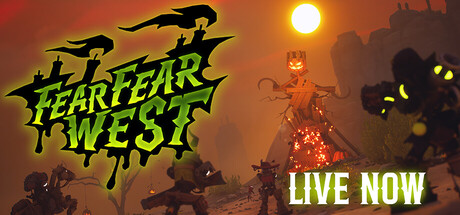
Comment s'articulent contrats, armes, sorts et atouts dans Far Far West, quels réglages PC baisser en premier quand les combats s'animent, et comment utiliser les options du trainer en toute sécurité en solo.
How Far Far West Works
You play a robot cowboy who hunts bounties for a living. The Town Sheriff hands out contracts, and each one sends you out to find a named target, take it down and bring the reward home. Town is the hub between jobs and the place where your earnings turn into upgrades. You can play alone or with up to three friends in online co-op. Far Far West is in Early Access, so content and balance shift from version to version; this guide reflects the 0.3.0.10 hotfix that followed the Fear Fear West update.
Outside town, the frontier has a supernatural streak. Haunted mines, reanimated skeletons and deadly storms are all part of the landscape, and a giant ghost train roams the map. Combat comes in waves, with powerful bosses guarding the better rewards. The loop is easy to grasp: take a contract, survive it, bank the money, upgrade, then take harder work. Pushing deeper raises both the challenge and the payout.
- Treat each contract as one round trip: ride out, collect the bounty, come home and spend it.
- Stop in town before taking harder jobs so your gear keeps up with the threat.
- Early Access builds change often, so skim the latest patch post before a new session.
Your First Contracts
Adjustable difficulty is on the feature list, and it is worth using. If the opening contracts feel punishing, turn it down while you learn how enemies move and how fast a fight can turn against you, then raise it once your gear catches up. Resist the urge to push into deeper areas early. Bigger rewards come with bigger threats, and a slower, careful run usually gets you further than a rushed one that falls apart.
Early contracts are for learning, not speedrunning. Watch which enemies charge and which keep their distance, and how each wave builds on the last. When a storm rolls in, move rather than trying to fight through it in the open. Keep your distance from the ghost train until you know what it does. Once you are back in town, spend the bounty straight away so the next contract starts with better tools.
- Lower the difficulty if the opening is too rough; nothing is gained by grinding through it.
- Spend your money every time you return to town instead of sitting on it.
- Learn enemy behaviour on easy contracts before you go after bosses.
Six-Shooters and Spells
Combat is built around swapping between six-shooters and spells such as fireballs, and the two work best together. The gun handles precise damage on single threats; spells are for clustered enemies or moments when you need burst damage fast. Headshots have their own perk specialisation, a clear sign that accurate aim is rewarded, so get into the habit of aiming high on ordinary enemies early. Spells can also be combined, which makes pairing them more useful than casting the same one over and over.
The Frostburn update added melee weapons and frost spells, and a hotfix from the same period fixed Marauders not freezing correctly. That makes frost a useful control tool: slow or lock down a dangerous enemy, then finish it with your gun or a damage spell. Against waves, keep moving and avoid reloading or waiting out a cooldown in the open; fall back toward cover or teammates first. With bosses, watch the attack pattern before you spend your strongest spells.
- Swap weapons with intent: the gun for single targets, spells for groups.
- Test spell combinations on easy contracts before you depend on them in a hard one.
- Keep a Frostburn melee weapon in mind for enemies that close the distance.
- Aim for the head; an entire perk path is built around it.
Upgrades, Perks and Town Traders
Progress happens in town, where you trade to upgrade guns, spells and abilities. Recent patch notes also mention a Wandering Trader, a Refiner and a Copy Press, each with its own menu. The store page does not explain them, so look through each one when you get back and see what is available at your level. Regular small upgrades tend to serve you better than saving up for one large purchase.
Perks let you specialise, and the game points to three directions: spell damage, healing and headshots. Pick one and invest in it rather than spreading points across all three; a focused build pulls ahead noticeably as contracts get harder. In co-op, split the roles so one player takes spell damage, another healing and a third headshots. Unlockable skins change the look of your robot cowboy and your horse. Hotfix 0.2.0.4 repaired promo codes and shared a new one, so the developer's announcements are worth a look.
- Choose a perk direction early and build around it.
- Check every trader menu each time you return; what they offer may differ as you progress.
- In a group, agree on damage, healing and precision roles before you set out.
- Watch patch posts for promo codes, and don't count on older ones working forever.
Playing Together in Co-op
Online co-op supports one to four players, and the specialisations are clearly designed with a team in mind. Before each contract, settle who is building what. A healer hanging back, a spell user clearing waves and a sharpshooter picking off priority targets cover each other's gaps. Decide when to head home as well, because one player wandering deeper can drag everyone into a fight the group isn't ready for.
Set up the comfort and accessibility options before your first session. The game lists camera comfort settings, custom volume controls, stereo and surround sound, and the option to play without timed inputs. Controller support is only partial, so some menus or actions may sit better on mouse and keyboard. Steam Cloud saves help if you switch between PCs, and Family Sharing is supported for households where someone else owns the game.
- Sort out roles in voice chat before accepting a contract.
- Adjust camera comfort and volume settings before a long session.
- Keep a mouse and keyboard nearby, since controller support is partial.
PC Settings and Performance
Minimum specs call for 64-bit Windows 10, an Intel Core i5-7600K or Ryzen 5 1600, 8 GB of RAM and a GTX 1660 or RX 590. DirectX 12 is required, the install takes 10 GB, and an SSD is recommended. Near this level, prioritise a stable frame rate over visual detail, because wave fights and spell effects fill the screen quickly. Start by lowering resolution scale, shadows and effect quality, and close background apps to free memory on an 8 GB machine.
The recommended tier is a Core i5-10600KF or Ryzen 5 3600X, 16 GB of RAM and an RTX 2060 or RX 5600 XT on 64-bit Windows 11. Hardware at this level should handle higher settings comfortably. If large waves still cause dips, effects and shadows remain the first settings to cut. Install on an SSD as the developer advises at both tiers.
- On a weaker PC, lower resolution scale, shadows and effects before anything else.
- Install on an SSD; the developer recommends one at both spec tiers.
- AMD GPU owners: the developer has reported problems with AMD frame generation, so switch it off if you see glitches.
- Stay on the latest version; hotfix 0.3.0.7 fixed a crash on launch.
Using the Trainer in Far Far West
Our trainer includes Infinite Health, Infinite Ammo, No Reload, No Spell Cooldown, One-Hit Kills, Unlimited Money, Infinite Stamina, XP Multiplier, Super Speed, Super Jump, No Recoil and Game Speed. Since Far Far West has online co-op, keep these options to single-player sessions you run alone and never switch them on in a lobby with other players. Altering the game for people who didn't agree to it ruins their run, and online sessions may not react predictably to client-side changes anyway.
Each option has a practical use. Infinite Health and Infinite Stamina let you study a boss without restarting. No Spell Cooldown is a fast way to find spell combinations worth building around before you spend perks on them. Unlimited Money and XP Multiplier let you try spell damage, healing or headshot builds without the grind. Infinite Ammo, No Reload and No Recoil make aim practice easier, while Super Speed and Super Jump help with exploration. Lowering Game Speed lets you watch attacks frame by frame. One-Hit Kills strips out almost all of the challenge, so keep it for runs where that is the point.
Back up your saves before touching any option. Steam Cloud syncs automatically, so a change made with the trainer running can replace your clean save on every PC you use; copy the save data somewhere safe first. Early Access patches land often, and an update can break trainer options until the trainer itself is updated. Close the trainer before installing a patch and only turn it back on once you have confirmed it matches the new version.
- Use the trainer in solo play only, never in co-op lobbies.
- Back up saves manually before using any option, because Steam Cloud syncs changes.
- Close the trainer before installing a game update.
- Use No Spell Cooldown and Unlimited Money to test builds before committing to one.
FAQ
Can I play Far Far West solo?
Yes. Single-player is supported alongside online co-op for one to four players, and adjustable difficulty lets you tune the challenge when playing alone.
Is Far Far West finished?
No, it is in Early Access. It has had major content updates, including Frostburn, which added melee weapons and frost spells, and Fear Fear West, which was followed by hotfixes.
Does Far Far West work with a controller?
Controller support is listed as partial. A gamepad should cover much of the game, but mouse and keyboard may work better in places.
What PC do I need to run Far Far West?
Minimum is a GTX 1660 or RX 590, an i5-7600K or Ryzen 5 1600 and 8 GB of RAM on 64-bit Windows 10 with DirectX 12. Recommended is an RTX 2060 or RX 5600 XT, an i5-10600KF or Ryzen 5 3600X and 16 GB of RAM. An SSD is recommended in both cases.
I have an AMD graphics card and see visual problems. What should I do?
The developer has reported issues with AMD frame generation. Turn frame generation off, update your drivers and make sure you are on the latest game version.
Commentaires
Aucun commentaire pour le moment
Soyez le premier à donner votre avis.