Easy Red 2 : guide du débutant, conseils pour les campagnes et meilleurs réglages
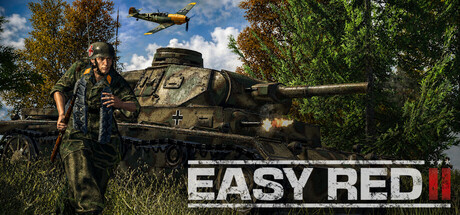
Comment débuter Easy Red 2 en solo : choisir une première campagne, survivre en simple soldat, utiliser les rôles d'escouade et les équipages de chars, optimiser votre PC et garder les options du trainer hors ligne.
What You Are Getting Into
Easy Red 2 is a Second World War shooter built around large battles, a squad you can command and vehicles you can crew yourself. Steam files it under action, simulation and strategy, and it plays slower and punishes mistakes harder than an arcade shooter. You are one soldier among many, and the game makes no promise that you will survive. Everything can be played solo against AI, which is the right place to start. Online co-op and PvP can wait until you know the basics.
Six campaigns come with the base game: Anzio, Monte Cassino, Tunisia, Operation Flintlock on Kwajalein and Roi-Namur, the Battle of Makin and the Invasion of Kos. Between them they hold more than 100 missions. DLC packs move the fighting to Stalingrad, Normandy and Shanghai, and recent patch notes mention Blood on the Danube and Khalkhin Gol content. None of it is needed to learn the game. Difficulty is adjustable, and dropping it for your first few missions is a sensible way to get used to the pace of combat.
- Start in single-player against AI before trying online modes.
- Lower the difficulty for your first missions and raise it once you stop dying to fire you never saw.
- Expect frequent early deaths, and use each one to work out where the enemy was.
- Check the controller settings if you prefer a gamepad; full controller support is listed.
Staying Alive as an Infantryman
The game says it plainly: you are not a super soldier. Sprinting across open ground toward an objective is the quickest way back to the respawn screen. Move from cover to cover, stop before cresting a hill or rounding a building, and let the wider battle develop around you. Your squad is a useful guide here. When teammates drop prone and open fire, look where they are aiming before you move.
Update 2.1.0 added a bipod system, which matters once you pick up a support weapon. Bracing it on a wall, a window ledge or the ground should give steadier sustained fire than shooting unsupported. Stamina is also worth managing, so sprint in short bursts between covered spots and arrive with enough breath left to aim. When the gunfire and explosions build up, slow down.
- Move in short bounds between pieces of cover.
- Watch what your AI squadmates are shooting at to find hidden enemies.
- Deploy the bipod on a solid surface before firing a support weapon.
- Stay off skylines and open fields when a covered route exists.
Using Your Squad
Squads are built from roles such as Squad Leader, Radioman, Medic and Support Gunner, and each role has its own abilities. The game is designed around fighting with them rather than alone, so keep the squad close and use each role on purpose. A Support Gunner can pin enemies while others move, and the Medic and Radioman bring abilities a rifleman lacks. Learn what each one does in your first missions rather than treating them as extra rifles.
A simple pattern from other squad shooters works here too: one group holds and fires while the other moves. Put your support gunner where he can see the objective, then push riflemen forward under his fire. Updates 2.0.8 and 2.1.0 list improvements to infantry AI and pathfinding, so squads should handle orders better than in older builds. If an order seems to be ignored, check that the destination can actually be reached and is not cut off by terrain.
- Keep the Medic near the front but behind cover.
- Set up the Support Gunner before you push.
- Give short, reachable move orders rather than long cross-map ones.
- Regroup after heavy losses instead of advancing at half strength.
Tanks, Aircraft and Crews
Vehicles are not health bars. Tanks model armor penetration and ballistics in detail, and crew members handle separate jobs, so losing one can cost the vehicle a function. On the ground you will find the M4 Sherman, Churchill, Panther, Tiger and Willys Jeep; in the air, the Spitfire and P-51 Mustang among others. Update 2.0.8 reworked the Tiger I, 2.0.6 added the Yak-9, and 2.1.0 made tank sights more historically accurate. Aiming through a sight will take practice.
Angle and position count for more than speed. Turn your thickest armor toward the threat, stop before firing for accuracy, and keep infantry nearby in narrow streets where enemy anti-tank teams can hide. If a crew member goes down and something stops working, pull back instead of sitting in the open. Update 2.0.9 improved aircraft AI, so expect enemy planes to punish exposed vehicles and troops.
- Face your strongest armor toward the enemy.
- Stop the tank before firing at range.
- Keep infantry close in towns and forests.
- Withdraw after losing a crew member instead of fighting on crippled.
Picking Campaigns and Modes
The store page does not rank the six base campaigns by difficulty, so choose by setting. Monte Cassino is mountain fighting on steep terrain, and the island landings at Makin and Operation Flintlock put you on exposed beaches. Anzio's central Italian plains and Tunisia should give longer sightlines. Play a mission or two from several campaigns and stay with the one whose pace suits you.
Update 2.0.9 reworked Defense mode, and captured objectives now have a bigger effect on tickets, so holding ground is what wins there. A level editor and Steam Workshop support mean community missions and maps can keep the game going after the campaigns. Steam Cloud is listed, so progress can follow you between PCs. The game is patched often, and big updates can change AI, interface and vehicle behavior noticeably, so read the notes.
- Sample missions from several campaigns before committing to one.
- In Defense mode, hold objectives rather than chasing kills.
- Browse the Workshop for extra missions once the campaigns feel familiar.
- Re-read patch notes after major updates; 2.1.0 redesigned the interface.
PC Settings and Performance
The minimum specs are modest: 64-bit Windows 7, an Intel Celeron G530 or AMD Athlon II X2 250, 1500 MB of RAM, a GeForce GT 710 or Radeon R5 240 with 1 GB of VRAM, and 10 GB of storage. Expect low detail at that level. Recommended specs step up to Windows 10, an Intel Core i3-2100, 4 GB of RAM and a GTX 750 Ti or Radeon R7 360 with 2 GB of VRAM, which gives more headroom for big battles.
With this many AI soldiers on a map, the processor can hold back frame rate in large fights as much as the graphics card. On weaker PCs, cut shadows, view distance and resolution first, then effects and lighting; the skybox and lighting system added in 2.0.8 may cost more on old cards. A 1 GB card is safest with low textures. On recommended hardware, raise view distance and textures before shadows, since spotting enemies at range is worth more than crisp shadows.
- On minimum-spec hardware, lower shadows and view distance first.
- Keep texture quality low if your card has only 1 GB of VRAM.
- Test performance in a large battle, not the menu or a small mission.
- Close background programs if your PC is near the 1500 MB RAM minimum.
- An SSD install, if you have one, can shorten loading.
How the Trainer Fits Easy Red 2
The trainer options are Infinite Health, Infinite Ammo, No Reload, Infinite Grenades, No Recoil, No Spread, Infinite Stamina, One-Hit Kills, Invincible Vehicles, Super Speed, Game Speed, Aimbot and Wallhack (ESP). Keep them to single-player sessions against AI. Easy Red 2 has online PvP and co-op, and using these options there spoils the game for other people. Close the trainer before joining any online match, and bear in mind that no trainer is guaranteed to go undetected.
Offline, the options can make a demanding game easier to learn. Infinite Health lets you study a mission layout without restarting, and Invincible Vehicles gives you time to practice tank sights and crew handling. Game Speed can slow a chaotic firefight enough to follow it. Wallhack (ESP) shows where AI soldiers set up, positions you can later handle without it. Back up your saves first, and because Steam Cloud syncs progress, keep a separate local copy as well.
- Use the trainer only in solo, offline play.
- Back up saves and keep a copy outside the Steam Cloud folder.
- Turn on one option at a time to check it works as expected.
- Try Invincible Vehicles to practice tank aiming without losing crews.
- After major game updates, options may stop working until the trainer is updated.
FAQ
Can I play Easy Red 2 entirely solo?
Yes. The whole game can be played single-player against AI, and online co-op and PvP are optional.
How much content is in the base game without DLC?
Six campaigns with more than 100 missions in total. DLC adds fronts such as Stalingrad, Normandy and Shanghai, with over 80 more missions combined.
Will Easy Red 2 run on a low-end PC?
The minimum specs are a Celeron G530 or Athlon II X2 250, 1500 MB of RAM and a GT 710 or R5 240 with 1 GB of VRAM, so older systems can run it at low settings. For large battles, the recommended i3-2100, 4 GB of RAM and GTX 750 Ti are a better target.
Can I use a controller?
Yes. Full controller support is listed, along with DualShock, DualSense and Steam Input support.
Can I use the trainer in multiplayer?
No. Keep trainer options to single-player, offline sessions, and close the trainer before joining any online co-op or PvP match.
Commentaires
Aucun commentaire pour le moment
Soyez le premier à donner votre avis.